
Every Feature, Explained
WHAT BUILDHUB PROVIDES.
A platform designed for mobile. Every tool a UK builder needs to streamline their business operations. No unnecessary features, no excess — just what you need.
SITE VISIT
An accurate estimate starts with a site visit. BuildHub lets you arrange and book visits directly with the homeowner — and while on site you can record every observation, conversation and idea in a single, central place.
Capture notes, use voice dictation that transcribes instantly, and take photos directly from your mobile device. All of this is organised under the project, making it straightforward to integrate into your estimate as soon as you're back in your vehicle.
- Set up and schedule site visits with the homeowner directly from the project
- Send push notifications to the homeowner when you're en route
- Flexible note-taking — choose between structured templates or bullet-point formats
- Record voice notes that are transcribed automatically
- Capture photos directly from your phone and save them to the project
- All site visit information is linked to the project and available during estimate preparation
- Track site visit history — log every visit with date, time, and attendee details
Why it matters
Accurate estimates begin with thorough site surveys. BuildHub converts a site visit from vague recollections and loose notes into a well-organised, searchable record — ensuring nothing is overlooked and your quote reflects the true scope of the job rather than a blurred memory.
Notice it. Capture it. Access it.
Voice memos. Photos. Written notes. All synced to the project — ready for when you prepare the estimate.
COST ESTIMATES & QUOTATIONS
Quick Low/Mid/High estimates to assess a project, followed by AI-assisted quotes that analyze your plans and illustrate your profit margin prior to submission. Tailored to your specific rates and delivered as branded PDFs your clients can approve with a single tap.
- Low/Mid/High estimate range generated in just 90 seconds — directly from the initial visit
- AI analyzes your drawings to produce a structured, itemized quote
- Profit margin visibility on each line — exclusive to builders, hidden from clients
- Tailor-made templates, pricing lists, and scopes of work for every project type
- Personalized customer portal with a one-tap Accept option and PDF download
- Automatically generated payment schedule and validity duration
Why it matters
Many builders either deliver quotes too slowly, losing projects, or rush them and incur financial losses. BuildHub tackles both—providing a dependable estimate in minutes, then producing a full AI-enhanced quote based on your specific rates, with your profit margin clearly shown before you submit.
Estimate upfront. Quote when it counts.
From a 90-second estimate to a finalized quote — without taking up your evenings.
PROJECTS AND TASKS
Each project in BuildHub acts as a single operating system for construction. From the initial inquiry to the final sign-off, every stage, package and individual task is organised, assignable and straightforward to track.
The Work Breakdown Structure mirrors the real on-site workflow of UK builders — divided into phases (groundworks, structural, first fix, second fix, finishing), with work packages inside each phase and discrete activities within each package. Each activity records an assignee, a duration, a completion status and any additional notes.
- Structured task hierarchy — phases, packages, tasks
- Assign items to team members, subcontractors, or clients
- Record completion with timestamp and user details
- Manage client visibility per activity — show or hide from the homeowner
- Internal comments attached to each activity
- Calendar overview of all milestones and on-site actions
- Builder-defined blackout windows (holidays, closures)
Why it matters
Many projects suffer financial losses because progress is frequently unclear. BuildHub gives you—via exclusive access—total transparency, allowing you to share exactly what you want clients to see.
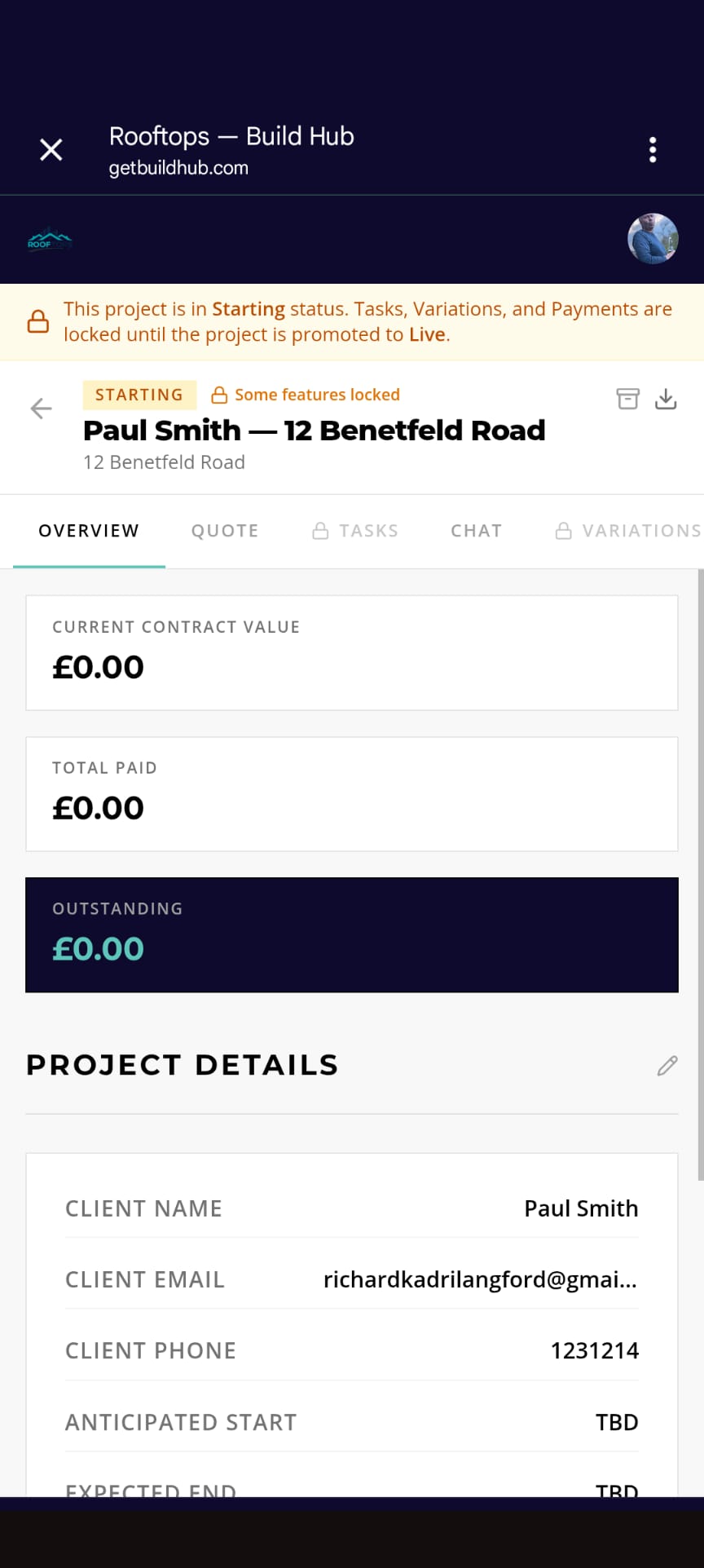
COMMUNICATIONS
Two separate chat channels for each project: one for your client, the other for your team. Both are fully logged, easily searchable, and tightly linked to the project.
AI converts casual site notes ("poured slab, windows arriving tomorrow, waiting for electrician") into a concise, reassuring update in your tone. Homeowners can ask questions about their project and receive immediate responses from real-time project data — variations, payments, progress — without interrupting you.
- Dedicated client and team channels for each project
- Multimedia support: photos, files and videos
- Threaded replies for messages
- Read-receipt tracking for message reads
- Email alerts and mobile push notifications
- AI-generated client updates from brief notes
- AI-driven homeowner questions and answers using real-time project data
- Customisable tone of voice tailored to each builder
Why it matters
Construction professionals often end up spending more evenings communicating with clients than on actual building work. BuildHub manages the follow-ups, the clarifications and the reassurances for you — in your voice.
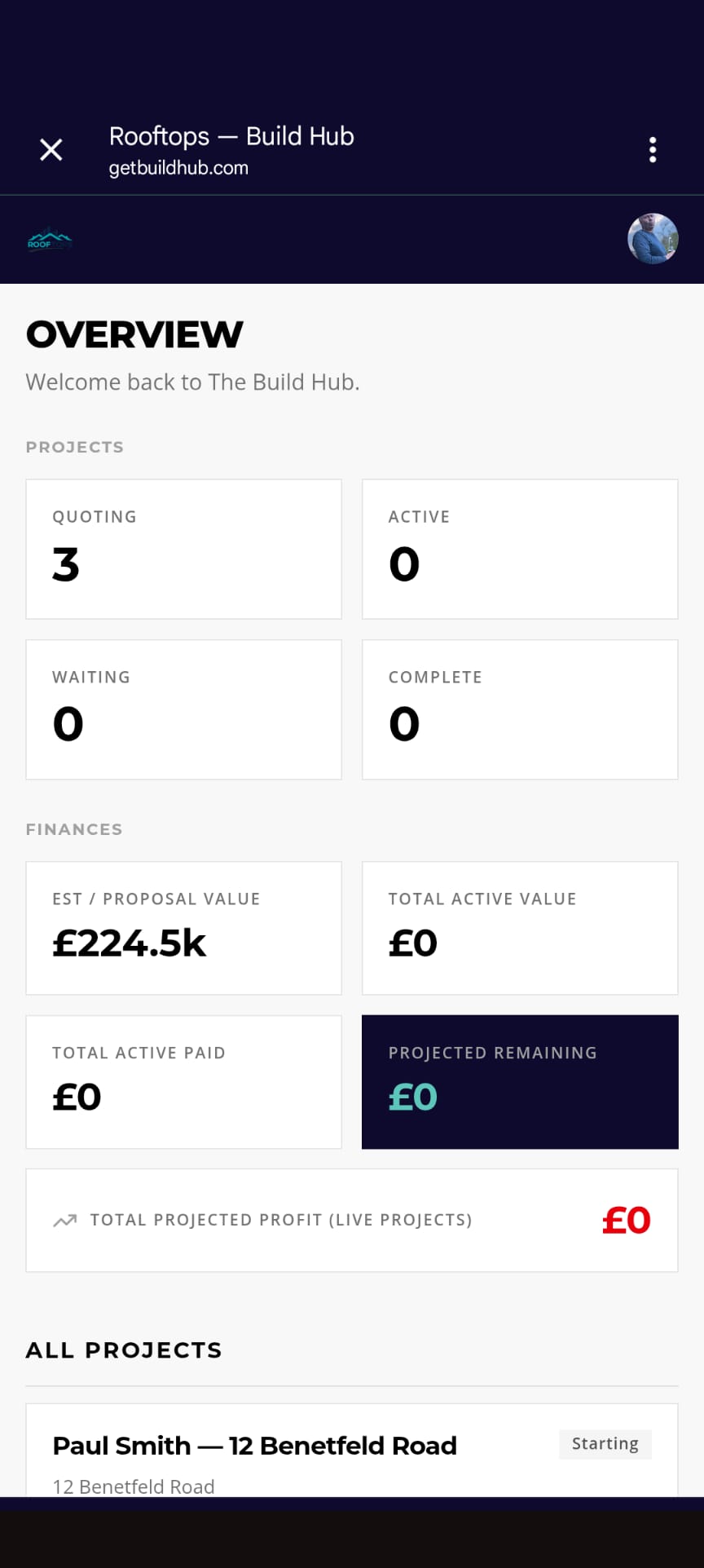
VARIATIONS AND THE TRILATERAL HANDSHAKE
Every scope change follows a structured three-stage process — designed to guarantee clarity and avoid misunderstandings, misinterpretations, or disputes.
Stage 1 — Discuss. The change is raised in a conversation between the builder and the homeowner, with the context and rationale recorded.
Stage 2 — Propose. The builder formally logs the variation in BuildHub, specifying the cost impact (increase or decrease) and the reason.
Stage 3 — Approve. The homeowner reviews the proposal and gives a digital approval or rejection. The decision is permanently recorded with date, time and exact figures.
Say goodbye to "I never agreed to that." No more end-of-project arguments about what was meant to be included. Just a concise, organised record of every modification.
- Three-step process: consult, suggest, confirm
- Cost implications clearly presented before confirmation
- One-touch digital approval or rejection by the homeowner
- Approved changes immediately update the contract value
- Apply to the final milestone or add as a separate payment phase
- Rejected variations logged with accompanying rationale
- Full audit trail with timestamps
Why it matters
Disagreements over variations are the leading reason builders lose profits on otherwise lucrative projects. The 3-Stage Handshake removes this risk by ensuring every change is discussed, priced, and formally approved before any work commences.
The Three-Step Handshake
Discuss. Propose. Confirm. Every change must be approved before any work begins.
THE ARCHIVE
A secure, well-structured repository for every project document — from planning drawings and structural calculations to contracts, certificates, warranties, site images and communications.
Documents can be deleted within a 10-minute window after upload. Once that window closes they can only be formally voided, and each void is permanently logged. Nothing can be erased without a trace. The Vault is the automatic paper trail for your project.
- Structured document categories — planning, structural, legal, images, miscellaneous
- 10-minute deletion window, then voiding-only
- Permanent record of all approvals and resolutions
- Builder Credential Vault — upload your insurance, FMB and NHBC certificates once, accessible across all client projects
- Searchable across project history
- Secure cloud-based storage
Why it matters
Should any issues arise during a project — whether a dispute, an insurance claim, or a customer complaint — The Vault acts as your evidential safeguard. While it isn’t a legal warranty, it provides comprehensive documentation that makes producing false disputes markedly harder.
Nothing's lost.
10-minute deletion window. After that, only voiding is permitted. Permanent record retained. Always.
FINANCE RECORDS
Every stage payment, every variation, every expense — all in a single view. The Payment Schedule Architect automatically generates a payment schedule from the contract amount according to your chosen approach. Builders initiate payment requests; homeowners approve; and all parties see the same figures.
- Auto-generated payment schedules (weekly, phased, or manual)
- Payment status: Pending → Requested → Paid
- Real-time financial health indicator (paid / requested / remaining)
- Variation impacts automatically reflected in contract value
- Bank details pre-filled from your business profile
- Outstanding balance always visible to both parties
Why it matters
Cash flow is the undoing of small builders. BuildHub delivers full visibility of payment statuses to everyone involved — and clients pay faster when they clearly see exactly what they're being billed for.
Cash flow, managed efficiently.
Pending. Requested. Completed. Fully transparent. For everyone. At all times.
AI EMBEDDED, NOT BOLTED ON
BuildHub integrates AI seamlessly into the platform, cutting the tedious tasks of managing a construction business from hours into mere seconds. Each AI functionality adheres to your tailored tone of voice and established professional boundaries.
- AI-generated client updates produced from rough notes
- Homeowner Q&A using live project data
- AI-driven quote generation from drawings or specifications (currently in development)
- AI-crafted proposals in your unique voice
- AI-enhanced Excel/CSV price list import — upload disorganised supplier price lists and AI organises them
- Customisable per-builder persona, tone and constraints
Why it matters
BuildHub’s AI doesn’t replace the builder—it removes the time-consuming administrative tasks that prevent the builder from concentrating on the hands-on work. You review every output before it is dispatched.
Artificial intelligence meeting your needs.
Initial notes submitted. Professional update prepared. Verified by you before release.
INSPIRATION BOARD
Each project includes a dedicated visual collaboration space. Homeowners and builders upload inspirational images sorted by area — kitchen, lounge, bathroom, exterior. Before/after sliders display transformations. Comment threads tie design decisions directly to the reference images.
- Inspiration gallery sorted by location
- Before/after image sliders
- Comment threads for each image
- Image uploads via mobile or desktop
- Available to both builders and homeowners
Why it matters
Design decisions made in the kitchen at 9pm are not lost in WhatsApp. They remain with the project, recorded in the dialogue, ensuring everyone stays on the same page.
All your design choices, gathered in one place.
Attached directly to the project. Not buried in a WhatsApp conversation.
MOBILE FOCUS
BuildHub is a Progressive Web App. Add it to your iOS or Android home screen — it works just like a native app. Update checklists directly on the site, reply to clients instantly, and approve variations from your vehicle. The office is wherever you happen to be.
- Installable on iOS and Android home screens
- Works offline and syncs when reconnected
- Push notifications for key events (new messages, payment requests, variation approvals)
- Native camera access and photo uploads
- No App Store charges, no native app updates required, always up-to-date
Why it matters
A builder's office can be a van, a construction site, a kitchen, or a Costa. BuildHub is built for that experience — not just for a conventional desk.
No App Store. No updates required. Always up-to-date.
Open it straight from your browser. Works on both iOS and Android. On-site, in your vehicle, or anywhere you are.
YOUR IDENTITY, NOT THEIRS
Every homeowner on BuildHub sees a fully branded portal—your logo, your tagline, your colour palette. They won't see "Powered by BuildHub" displayed prominently in their experience. To them, this platform is yours.
- Upload your logo, tagline and brand colours
- Consistent branding across all client-facing pages and emails
- Custom domain for the client portal (Bespoke tier)
- Tailored configurations for each builder
- Integratable enquiry form for your existing website
Why it matters
Clients judge professionalism from their first impression. A tailored BuildHub portal can make a one-person business look like a 50-person company.
Your brand. Their experience.
A one-person operation projecting the capacity of a 50-strong team.
SEE IT FOR YOURSELF.
Start your free trial on a real project. Get full feature access. No credit card needed.
Start Your Free Trial →Do you already have an account? Sign in